



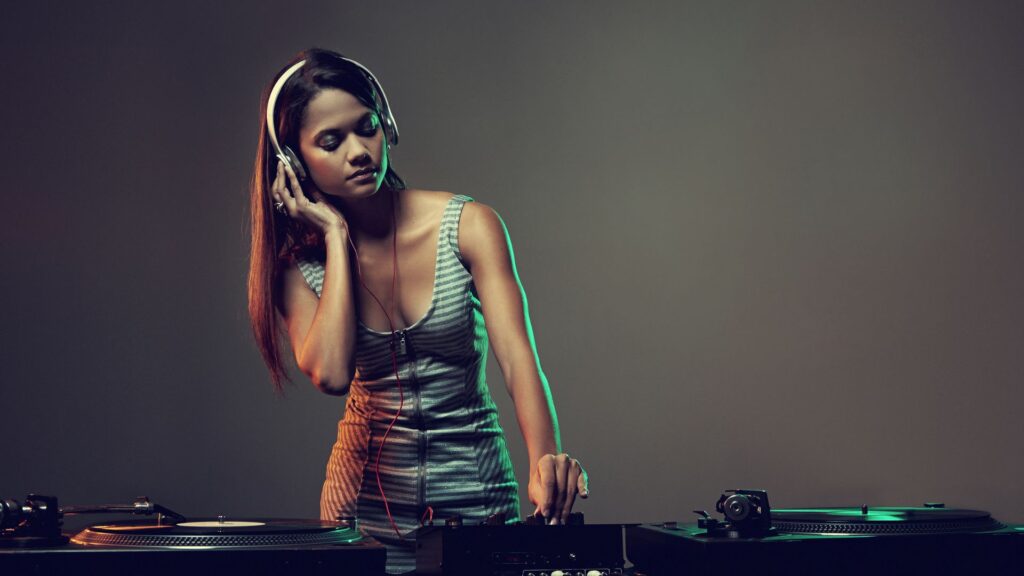
Your press photo is often the first thing industry professionals and fans see when they discover your music.
A strong image makes your brand look professional and helps your release stand out. Great press shots support your EPK, pitch packages, distribution campaigns, playlisting outreach, press coverage, album visuals and branding efforts. Below is a simple guide to creating high quality press shots that work across digital and print.
Know Your Visual Identity
Start by defining your artist brand. What’s the vibe?
Ask yourself:
- What emotions does your music express?
- What themes do you want people to recognise instantly?
- How should people feel when they first see your images?
- Think more images and props, colors, styles, lighting, and locations.
Create a visual moodboard on platforms like Canva (https://www.canva.com) or Pinterest (https://www.pinterest.com). This helps you shape a consistent look before you even pick up a camera. If you’re not sure about your branding, now is the time to think about it. Read our ressource “Building your music brand”
Do Visual Research
Look at press photos from artists you admire. Analyse:
- How they use light and shadow
- What locations they choose
- How they style outfits and props
Industry sites like Rolling Stone’s photo section (https://www.rollingstone.com/music/music-pictures/) and NME’s gallery pages (https://www.nme.com/photos) are useful for inspiration.
This research helps you build creative ideas while ensuring your photos feel fresh and authentic. Funnily enough, photos that you see of other bands and artists, online in articles are “press photos”. They might be in the studio, posed, or during a gig.
Choose: Professional Photographer or DIY
Hiring a photographer with experience in music photography can improve results, especially if you need editorial quality images.
If you choose to shoot yourselves, focus on:
- Good lighting
- Clean backgrounds
- Stable camera setup (tripod helps)
- Multiple shots in different formats
Most modern smartphones produce excellent results in the right conditions.
Set the Right Scene
Your location and styling should match your music and brand.
Think about:
The Location
Urban, nature, studio, or thematic environments, choose what fits your sound.
Clothes and Style
Outfits should reflect your personality and music direction.
Props and Instruments
Use them where it makes sense, but don’t over-clutter the image.
Your visual setting acts like contextual storytelling, it supports what you want people to feel about your music.
Keep Visual Branding Consistent
Consistency builds recognition. Your press shots should feel like your:
- Album cover art
- Social media style
- Website visuals
- Promotional graphics
- Logo
If you need help building your broader visual identity or brand strategy, MN2S also offers guidance and support as part of its distribution and artist services. They help with content planning, logo concepts, stage presence, and brand building when you sign up to work with them. You simply have to check out our resources.
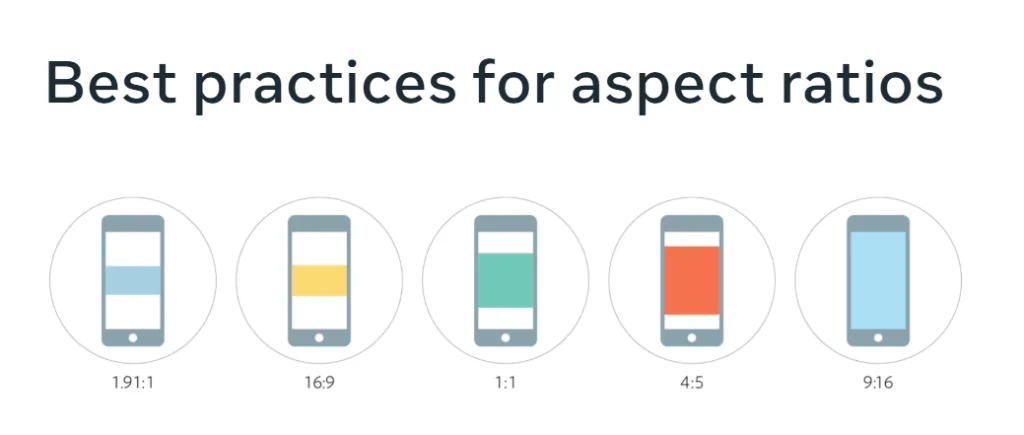
Cover All Format Ratios
Press shots must work in different dimensions:
Horizontal (landscape)
Vertical (portrait)
Square
Different platforms and media outlets require different formats. Planning for all three saves time and avoids awkward cropping (especially for social, blogs, posters, and profiles).
For up-to-date platform image specs, see Meta’s guide to Instagram sizes: https://www.facebook.com/business/help/103816146375741
Include:
- Full band images
- Individual member shots
- Close up portraits
- Group scenes
- With and without instruments
- Colour and black and white versions
Giving options helps editors and outlets choose the best fit for their layouts. A good shoot should generate lots of usable images. Try different: Poses, Angles, Backgrounds, Outfits. Even small tweaks can create fresh options that keep your campaign visually engaging.
Low resolution photos will not look professional.
Export in:
JPG or PNG for web and print
300 dpi for print use
Avoid massive TIFF files or very large attachments. If compression is needed, tools like TinyPNG and Compress JPEG help reduce file size while retaining quality.
Choose your best 5 to 10 images and organise them clearly.
Suggestions:
Name files like ArtistName_PressPhoto_01.jpg
Upload to a shared Dropbox or Google Drive folder
Label the folder “Press Shots” and set view permissions before sharing
Make sure your images are easy for press and industry contacts to access. That is key to getting coverage.
Use Press Shots in Your EPK
Your press photos should be a central part of your Electronic Press Kit. Many PR campaigns and distribution efforts rely on visuals just as much as audio. MN2S Label Services provides tools, strategy support and expert guidance to help you maximise the impact of your EPK and press assets.